
Qwen AI: What It Is and How to Get Started
Qwen AI is Alibaba Cloud’s assistant and model family for writing, reasoning, research, files, images, and coding. Start with the official chat for personal use; developers can choose a separate API or downloadable model. The chat service, APIs, and local models have different features, costs, and terms.
Looking for Qwen Chat? Use the official assistant below; no developer API setup is required.
Qwen advertises free consumer access. Account limits apply; API use is billed separately.
Official app downloads · Compare access routes
Independent guide by ChinaAI. The button opens Qwen’s official site; it is not a chat hosted here.
Sources reviewed: October 15, 2026. Official-source guide; not a hands-on performance benchmark.
Jump to: Start using Qwen · Features · Free access and paid routes · Models · Privacy · Commercial use
What is Qwen AI?
Qwen is developed by Alibaba Cloud. The official Qwen model organization publishes language and multimodal models, while the consumer product packages models and tools into an assistant you can use without programming. “Multimodal” means that a supported model can work with more than text, such as pictures, audio, or video.
Keep three names separate: Qwen Chat is the hosted assistant; Qwen models are the systems underneath it or available for separate deployment; Qwen Code is a coding-agent application. The official Android assistant is currently listed as Qwen Studio by Alibaba Cloud. Seeing a different product label does not mean that every app with “Qwen” in its name is official.
For everyday personal use, start with the assistant. For a software integration, start with a developer service. For your own infrastructure, choose a downloadable model and a compatible runtime.
How to use Qwen AI
Before you start: the Qwen consumer terms restrict the hosted service to private, non-commercial use. Free access describes cost, not permission for every use. A downloadable model’s license does not change the chat service’s terms; see commercial-use guidance for the distinction.
- Open the official chat. Go to chat.qwen.ai, or follow the chat link from qwen.ai. Use the sign-in or registration options the service presents when requested.
- Begin with one clear task. A short personal learning or writing request is a useful first step. State the audience, purpose, language, and format rather than asking only for “something good.”
- Choose tools to match the task. Use Search for current information, a supported attachment workflow for files, or an image-creation tool for a new picture. Tool availability and labels can differ between accounts and applications.
- Supply only the necessary material. Paste a short text or attach an authorized file. Tell Qwen whether it should use only that material or also consult external sources. Do not upload confidential data just to try a feature.
- Ask for a result you can check. Request a concise explanation, a table with named columns, source links, or references to the supplied document. Tell it to mark missing information instead of filling gaps.
- Verify and refine. Check important facts, calculations, and citations. For a correction, identify the specific problem and say what should stay unchanged. An extra response is not evidence that the correction is right.
Try a first task with a clear answer key
This fictional exercise lets you check extraction, arithmetic, and handling of missing information without uploading a private file. Copy it into a new conversation:
Use only these fictional practice notes. Do not search the web.

A community workshop has 24 seats.
Group A has 9 registered participants.
Group B has 7 registered participants.
Group C has 5 registered participants.
The workshop date is not stated.

Return a table with these fields:
- Capacity
- Total registered participants
- Seats remaining
- Workshop date

Show the calculation for the two totals.
Write "Not stated" for missing information. Do not invent a date.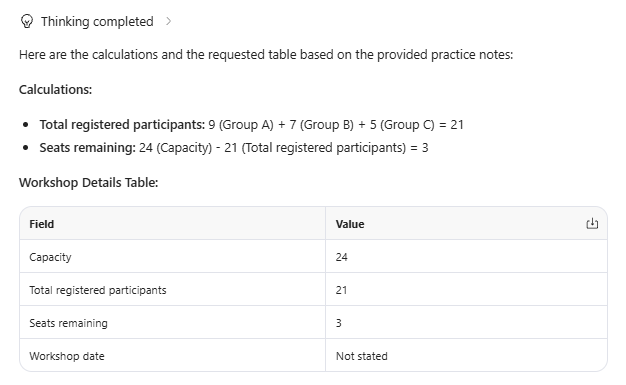
Answer key—not a saved Qwen response: capacity is 24; registrations total 9 + 7 + 5 = 21; remaining seats are 24 − 21 = 3; the date is “Not stated.” Check all four fields. A fluent answer that invents a date still fails this exercise.
For a focused follow-up, use: “The notes do not provide a date. Replace the invented date with ‘Not stated’ and keep the verified counts unchanged.” This tests whether the correction stays within scope; it does not establish overall model quality.
What can Qwen AI do?
The official app description documents writing, search, reasoning, multimodal understanding, and image creation. The web product overview also describes document processing and interactive artifacts. Choose by the result you need, then check that the required tool is present in your account.
Working with a PDF? Follow our Qwen PDF guide, then compare the extracted answers with the original.
| Task | A useful way to try it | Check before relying on it |
|---|---|---|
| Writing and learning | Ask for an explanation, a revised paragraph, or a short study quiz. | Check facts and meaning, not just smooth wording. |
| Reasoning | Give the inputs, constraints, and the decision to solve. Use a thinking option when appropriate. | Recalculate important steps; longer reasoning is not proof. |
| Web research | Set a date range and request primary sources for current claims. | Open citations and check that each supports the attached claim. |
| Files and visual material | Ask specific questions about an authorized document or image. | Compare extracted text, numbers, and references with the original. |
| Image creation | Describe the subject, layout, style, and exact visible text. | Inspect the original download, including spelling and details. |
| Code and interactive artifacts | Request a small function or an HTML/SVG example with clear constraints. | Run tests; check dependencies, accessibility, and permissions. |
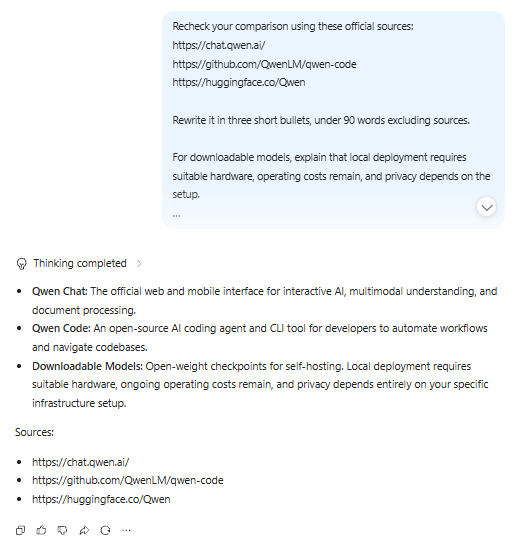
For more involved source work, use our Qwen Deep Research guide. For visual tasks, our Qwen Image Generator guide explains creation, while Qwen Image Edit covers changes to an existing picture.
Understanding media is different from generating it. A model that reads an image or video does not automatically create one. QwenCloud lists understanding and generation separately in its model-selection guide. Do not assume that an API-only capability is included in your consumer account.
To create a clip, use our Qwen video generation guide, which distinguishes consumer access from separate Wan routes.
Is Qwen AI free? Choose the right access route
The official Qwen website advertises free consumer access. That does not establish one universal daily allowance or unlimited use of every tool. Check your account for the current limits. Developer billing and self-hosting costs are separate from using the consumer assistant.
| Route | Use it for | Cost and important restriction |
|---|---|---|
| Qwen Chat / Qwen Studio | Personal questions, learning, writing, and supported creative tools. | Free consumer access is advertised. The consumer terms limit the service to private, non-commercial use. |
| QwenCloud | Hosted models for applications and supported developer workflows. | Separate API billing or plan allowance. Check the applicable pricing and plan rules. |
| Alibaba Cloud Model Studio | Qwen integrations through Alibaba Cloud. | Region-specific account, model, endpoint, and charges. Follow the official setup guide. |
| Downloadable Qwen models | Self-managed inference, research, and permitted deployments. | Hardware and operating costs remain. Permission depends on the exact model license. |
| Qwen Code | An agent working with a codebase and development tools. | The software is open source; model inference can still require a paid provider or local hardware. |
Do not copy an API price into a description of consumer chat, or assume a subscription includes every API. Our Qwen pricing guide separates the billing routes and shows how usage costs are calculated.
Qwen AI downloads: web, mobile, and desktop
You can start in a browser without installing an application. For an app, use the official Qwen download page, which lists iOS, Android, macOS, and Windows routes. Follow those links rather than a similarly named search result.
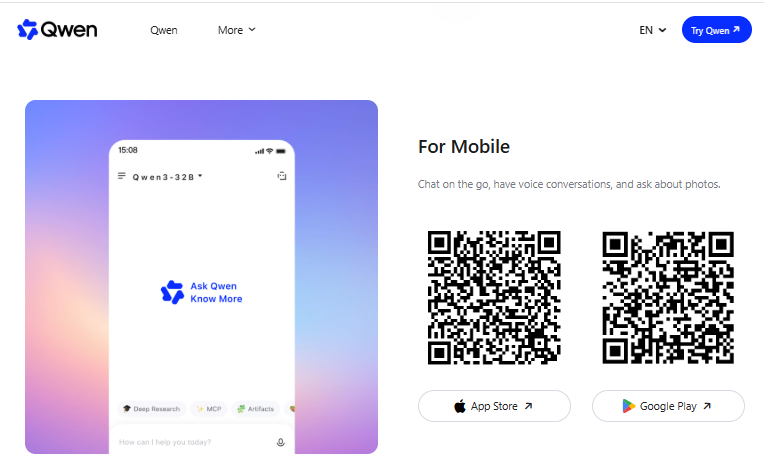
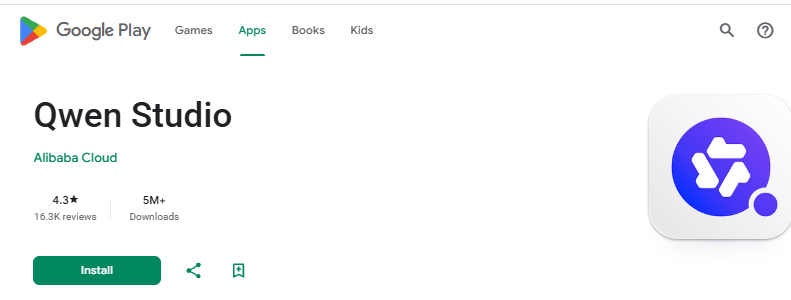
On Android, the verified listing is Qwen Studio from Alibaba Cloud. Check the publisher, supported device, region, and store terms before installing. A matching app name or logo alone does not establish who operates it.
Installing an app does not mean the model runs on your device. Treat the hosted assistant and a self-managed model as different setups. To run model inference on your own computer, follow the local Qwen guide rather than assuming the consumer download provides offline inference.
Use our Qwen download guide for the platform-specific app routes and the distinction between consumer apps, model weights, and Qwen Code.
Qwen models, API access, and local use
You do not need to understand the model catalog before asking your first question. It becomes important when you need a repeatable API integration, a particular modality, or your own deployment. The current QwenCloud selection guide highlights these three hosted choices:
| Hosted model | Documented positioning | How to approach it |
|---|---|---|
qwen3.8-max | Complex reasoning and coding. | Evaluate it when difficult tasks justify the additional cost. |
qwen3.7-plus | A balance of capability, speed, and cost. | Use it as one candidate for a general-purpose application. |
qwen3.8-flash | Fast, cost-oriented processing. | Check accuracy as well as throughput on your workload. |
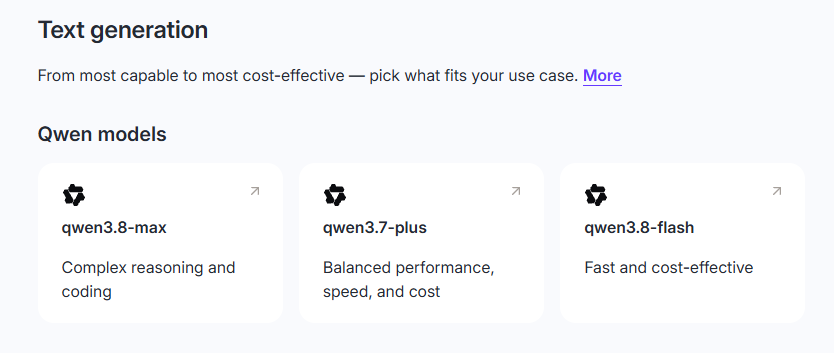
These are hosted service choices, not a promise that each is selectable in every Qwen chat session. The separate Qwen3.8-27B model card is an example of a downloadable multimodal checkpoint. Our Qwen models guide explains the wider catalog without treating hosted IDs and downloadable files as interchangeable.
A large context window is also not the same as a file-size limit, a maximum input allowance, or a guarantee that every page will be read accurately. Check the exact model and service limits rather than applying one headline number to the entire family.
For developers: choose one API route first
QwenCloud and Alibaba Cloud Model Studio provide documented hosted-model routes. Identify the provider, account, region, key, endpoint, model ID, and billing system before copying code. OpenAI-compatible formatting does not make credentials or model names interchangeable. Use our Qwen API quickstart for implementation rather than treating this overview as a setup reference.
For local use and coding agents
Qwen’s official deployment documentation covers runtimes including Ollama, LM Studio, llama.cpp, Transformers, vLLM, and SGLang. Compatibility and memory requirements depend on the exact checkpoint, runtime, precision, and context. Downloading weights does not recreate the hosted assistant’s full search and tool environment.
Qwen Code is a separate application that can work with supported hosted providers or local endpoints. It can inspect and change a project, so review permissions, changes, and tests. Our Qwen Code guide covers installation and configuration; installing the agent does not supply unlimited model usage.
For office-style deliverables, Alibaba also describes QwenWork as a separate productivity platform. Do not assume a basic chat session includes every work-product feature. For presentations, see our Qwen Slides guide and check the actual exported file rather than relying on its preview.
See our QwenWork guide for its setup, file workflows, and permission checks.
Privacy and important limitations
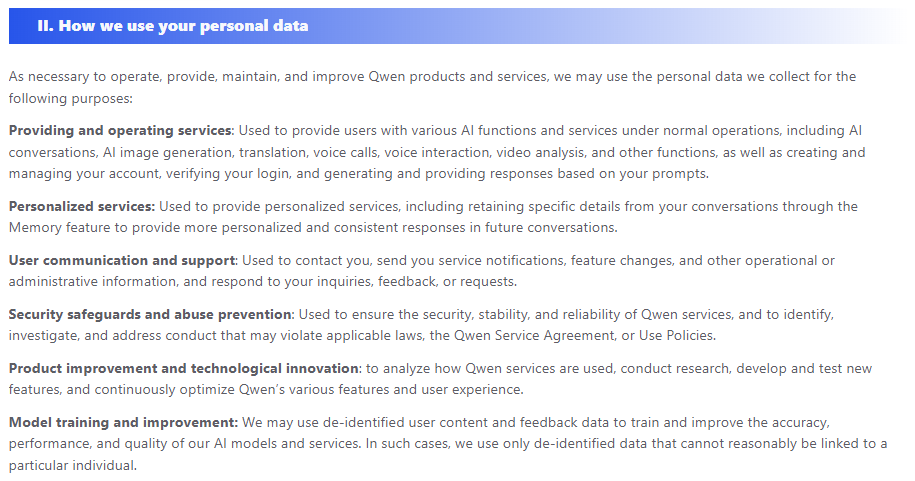
The Qwen consumer Privacy Policy describes possible use of de-identified content and feedback for model improvement and training, as well as retaining data for service-related purposes. This is not a promise that prompts stay on your device or disappear immediately. API and third-party services require their own policy checks.
Before uploading a document, photo, or code, confirm that the selected service is approved for it. Remove unnecessary personal data, secrets, passwords, and API keys. For confidential work, check the actual agreement and technical controls; a paid account or an “open-weight” label alone is not a confidentiality guarantee.
Verify the result according to the task. Open research sources, compare file extracts with the original, recalculate important numbers, and test code before using it. Image text can contain mistakes, and a correct-looking table can still omit a row. Use qualified review for medical, legal, financial, or safety-critical decisions.
For a local setup, check network-connected tools, external providers, and logs as well as the model. Local inference and a completely offline workflow are not necessarily the same thing.
For a route-by-route checklist, read our Qwen privacy and safety guide before sharing sensitive material or connecting tools.
A feature is missing or Qwen is not working
Start by identifying the problem instead of assuming the model has failed:
- No sign-in or chat access: return to the official domain and follow the account or service notice. Do not send passwords or session cookies to a third-party “fix” site.
- A tool shown in another tutorial is missing: compare the product, platform, account, and date. Use the current official interface rather than repeatedly searching for an old button.
- A file or picture is rejected: check the formats and limits shown by that upload control. Try a small, non-sensitive file to separate an upload problem from a content problem.
- The answer describes an image instead of creating one: check that you selected a generation or editing workflow, not only image analysis. For a usage-limit notice, follow the stated reset or access rules instead of assuming free means unlimited.
If these checks do not resolve the issue, follow our Qwen troubleshooting guide for sign-in, loading, app, and feature-specific problems.
Frequently asked questions
Can I use Qwen AI in English?
Yes. The official Qwen documentation describes a multilingual model family, and its international assistant has an English-facing interface. You can request an English answer and specify your preferred terminology or tone. For translation, verify names, numbers, and specialized terms rather than assuming all languages perform equally.
Do I need an API key to use Qwen Chat?
No developer API setup is needed for the consumer chat route. Use its normal account flow. API keys belong to developer integrations; a consumer login and an API usage balance should not be treated as the same thing.
Is Qwen AI the same as Qwen Studio?
Qwen is the wider assistant and model ecosystem. Qwen Studio is the name on the official Android assistant listing, while the web chat is reached through chat.qwen.ai. Check the official domain or app publisher rather than relying only on the name.
Can Qwen be used commercially?
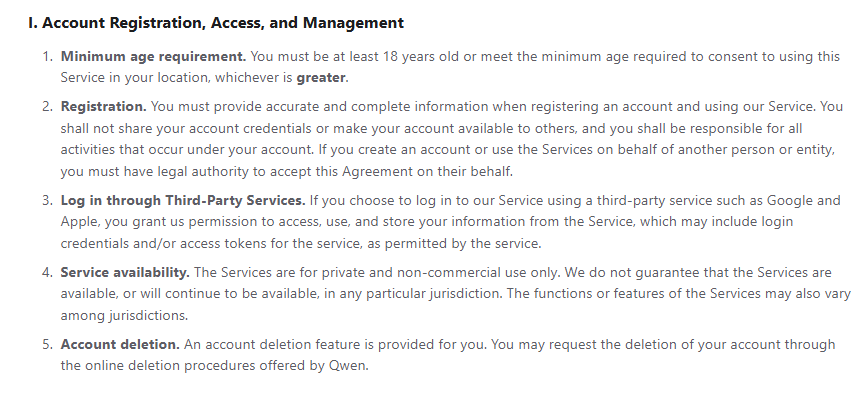
The consumer Terms of Service specify private, non-commercial use. APIs and local models are different: check the exact service agreement and checkpoint license. For example, Qwen3.8-27B uses Apache-2.0, while Qwen-Image-2.1 model materials use a research license requiring separate permission for commercial use. The Model Studio agreement has its own conditions. Neither free access nor downloadable weights provide universal commercial permission.
Is every Qwen model open source?
No single license covers the complete ecosystem. Some releases provide downloadable weights, some software is open source, and hosted services have separate terms. Check the exact repository and license—not a claim that everything above or below a parameter-count threshold has the same permissions.
Is Qwen better than ChatGPT?
There is no universal winner for every task. Compare the same kind of product using the same prompt, source material, tools, and checking rules. Our Qwen vs ChatGPT comparison separates consumer assistants, developer APIs, and local-model choices. A feature list or one successful answer is not a controlled quality benchmark.
Sources and how this guide was checked
This is a documentation-based guide, not an authenticated hands-on review or a claim of measured model performance. The fictional workshop exercise includes an independently calculated answer key; it is not presented as Qwen’s output.
Primary references are linked beside the relevant claims: Qwen’s product and download pages, the official app listing, QwenCloud and Model Studio documentation, and Qwen’s repositories and model licenses. Public-page access did not establish a universal consumer usage allowance. Read ChinaAI’s research methodology for our approach to evidence and verification.
Policy-check limitation: we verified indexed excerpts of the linked consumer terms and privacy policy, but could not retrieve those pages in full. Check the complete policy that applies to your account before commercial or sensitive use.